Cover view
Browse your collection
Browse by cover or switch to a list. Choose the counts you want to see, from collected books to signed copies.
Shown here: 42 copies across 24 titles.More about your library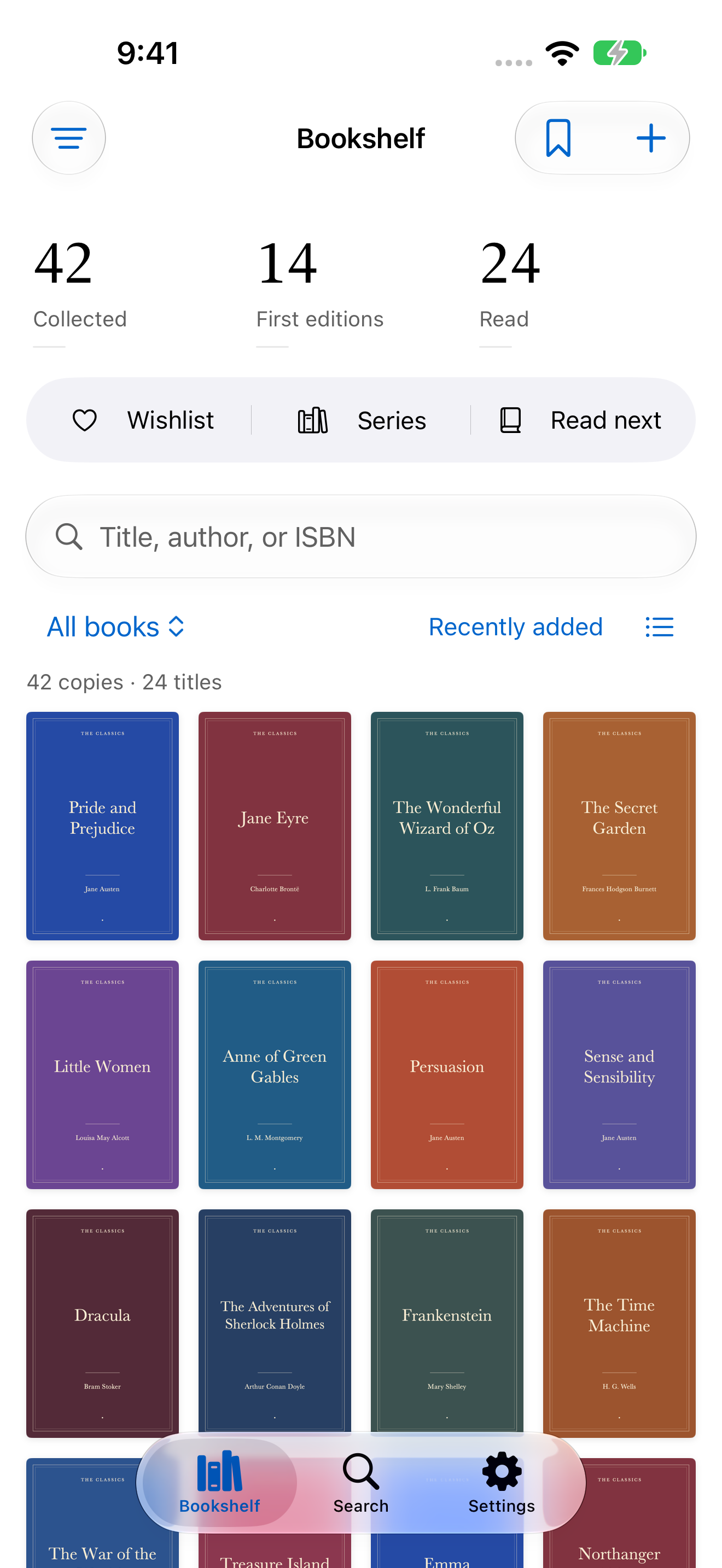
Know what you own before you buy it again. Catalog your books, keep the details of every copy, and take your shelves to the bookshop.
Available now for iPhone and iPad
42 copies · 24 titles in this example collection.
Five ways to use Bookshelf.
Reduced motion is on. All screens are shown below.
Cover view
Browse by cover or switch to a list. Choose the counts you want to see, from collected books to signed copies.
Shown here: 42 copies across 24 titles.More about your libraryISBN search
Scan the ISBN and check your saved copies. See which edition you have before another one comes home.
No barcode? Search by title or author.Finding and adding books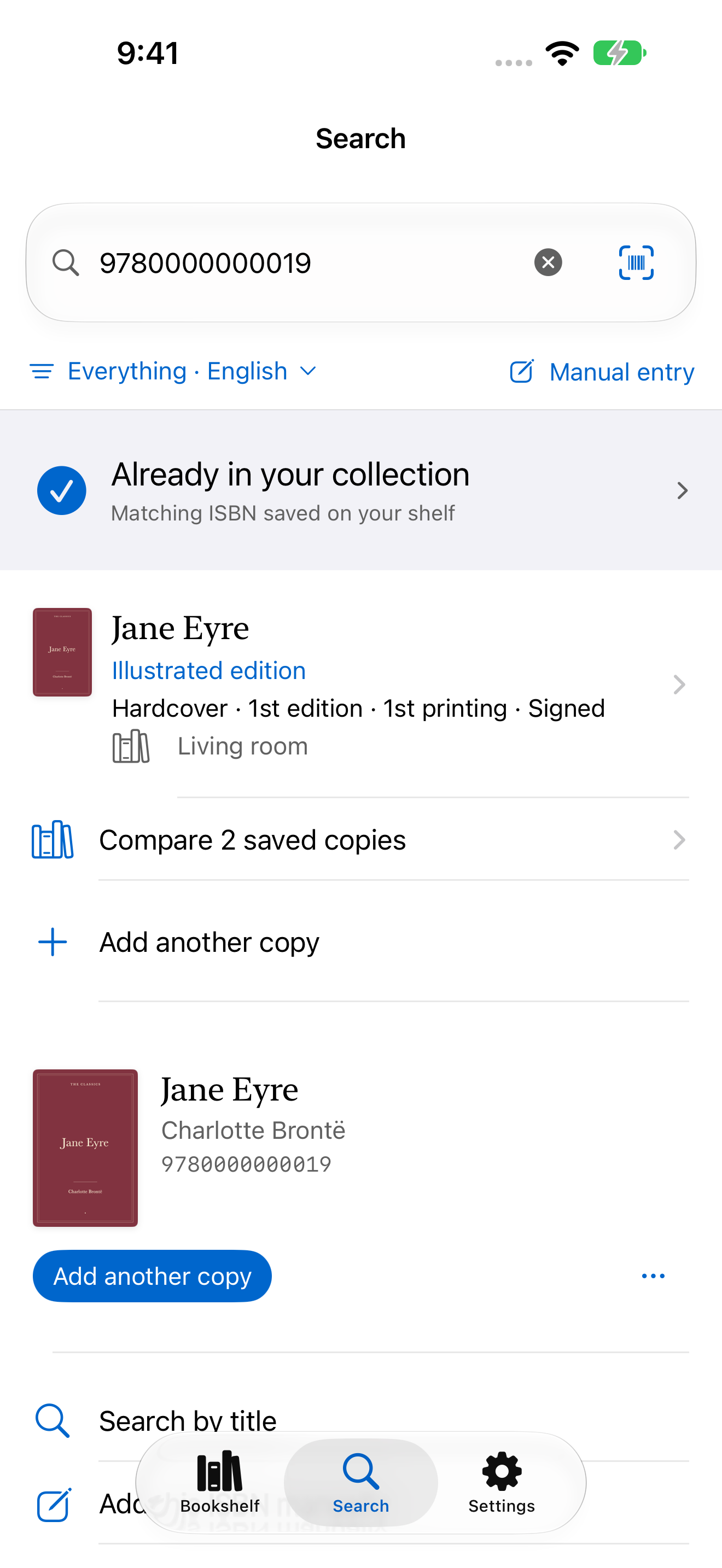
Saved copies
Your signed hardcover and worn paperback have separate records. Keep the condition, price, and notes for each.
Two copies of Jane Eyre. Each has its own record.See the copy details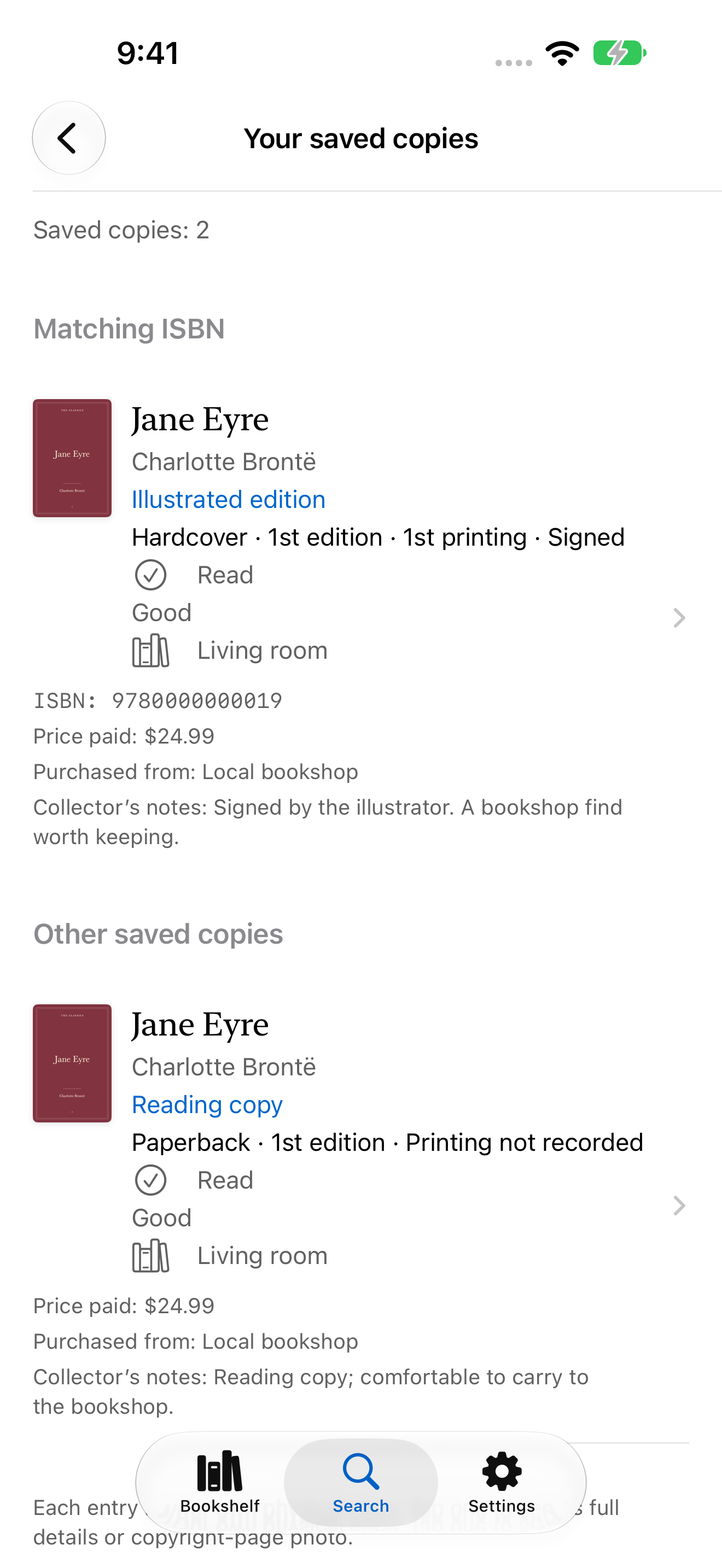
Copyright-page photo
Photograph the copyright page. Review edition and printing suggestions separately before saving them.
The photo stays with the book for another look.Edition and printing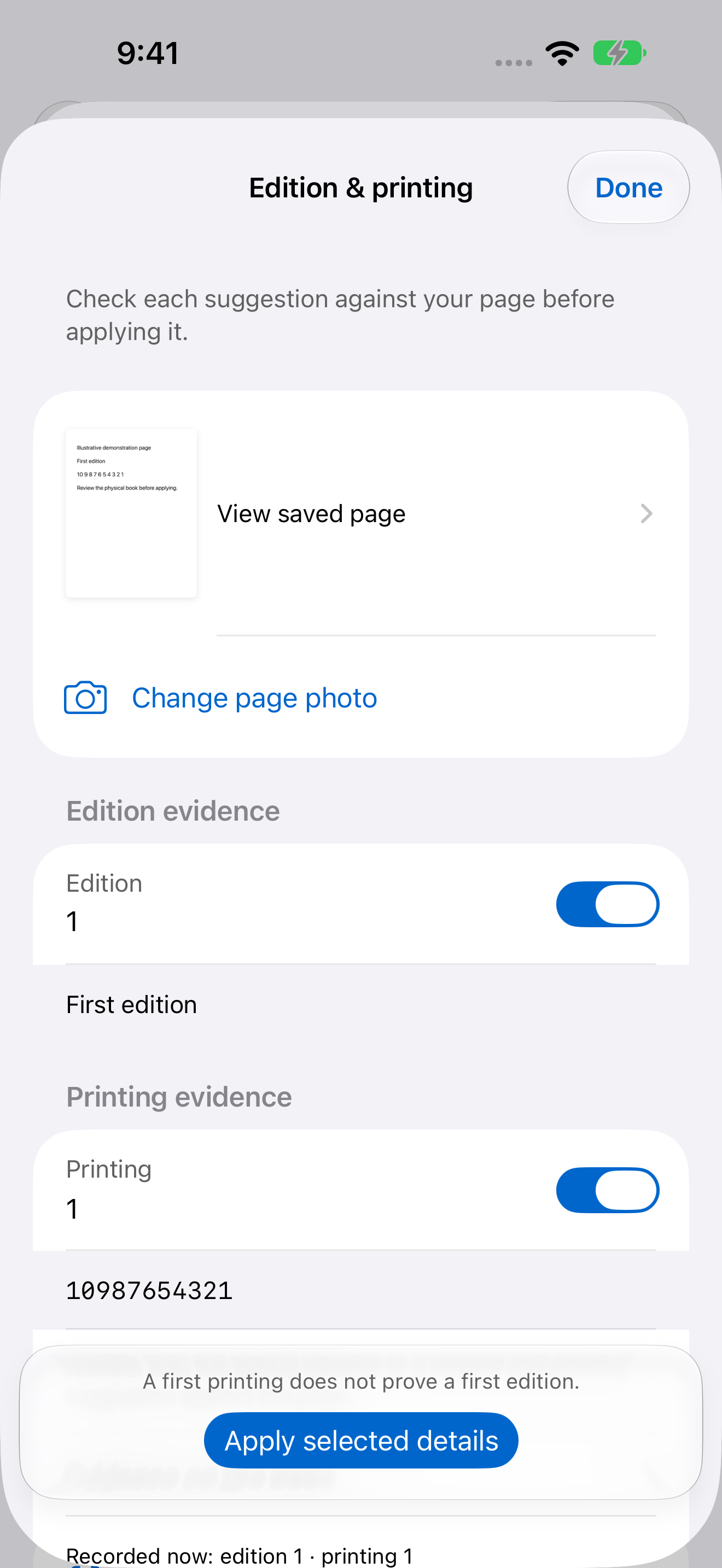
Series guide
A series guide shows the titles on your shelves and the ones still to find. Your wishlist keeps track of what you want.
The Oz series, with owned and missing titles.Series and wishlists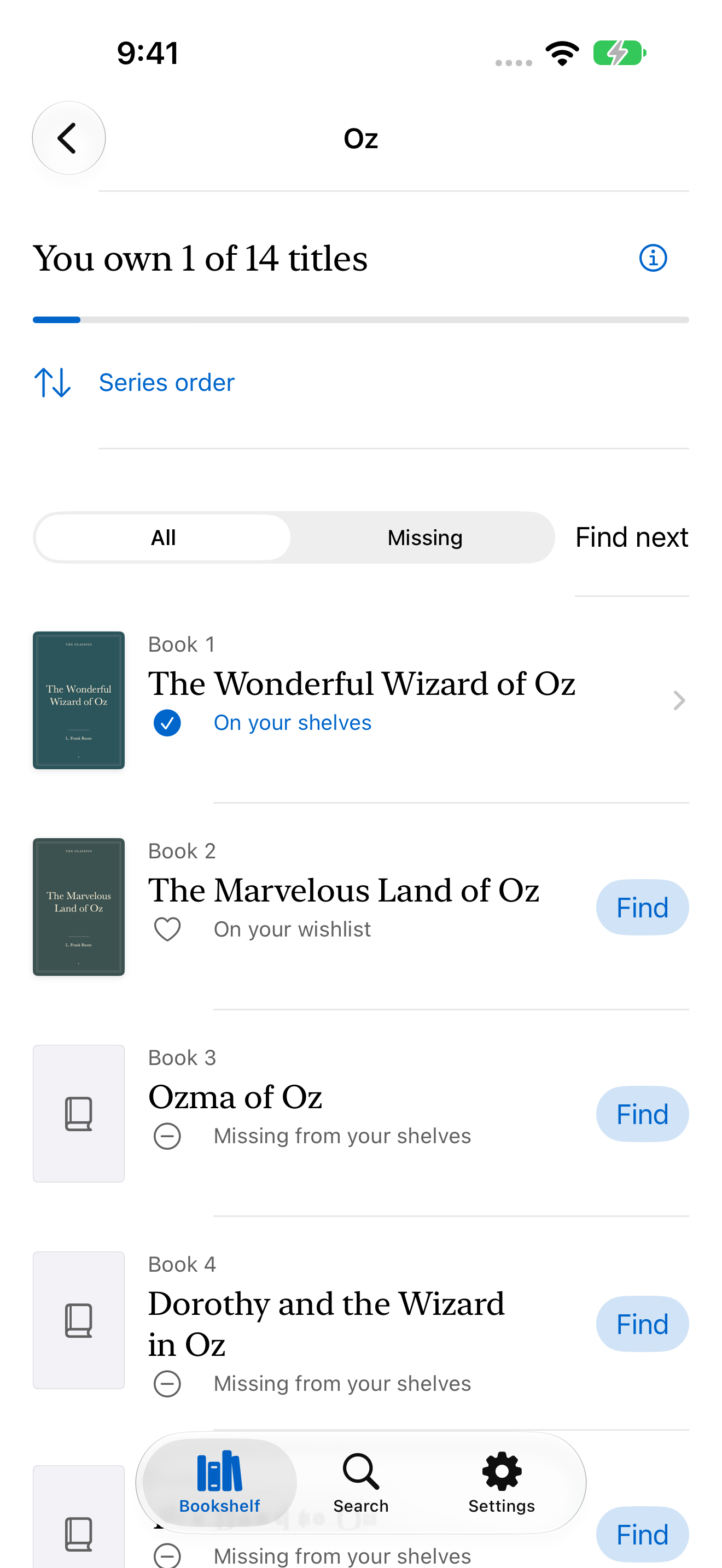
Tap any screen for a full-size view.
Keep a record of the edition, condition, and purchase details—even when you own more than one copy.
Binding, condition, signatures, purchase details, and notes.
Explore feature02Photograph the copyright page and review the evidence.
Explore feature03Search your collection, scan an ISBN, or add an older book by hand.
Explore feature04Follow supported series and keep a wishlist for the next visit.
Explore feature05Mark books read, save ratings, and choose your next book.
Explore feature06Save a shelf location and back up the collection you’ve built.
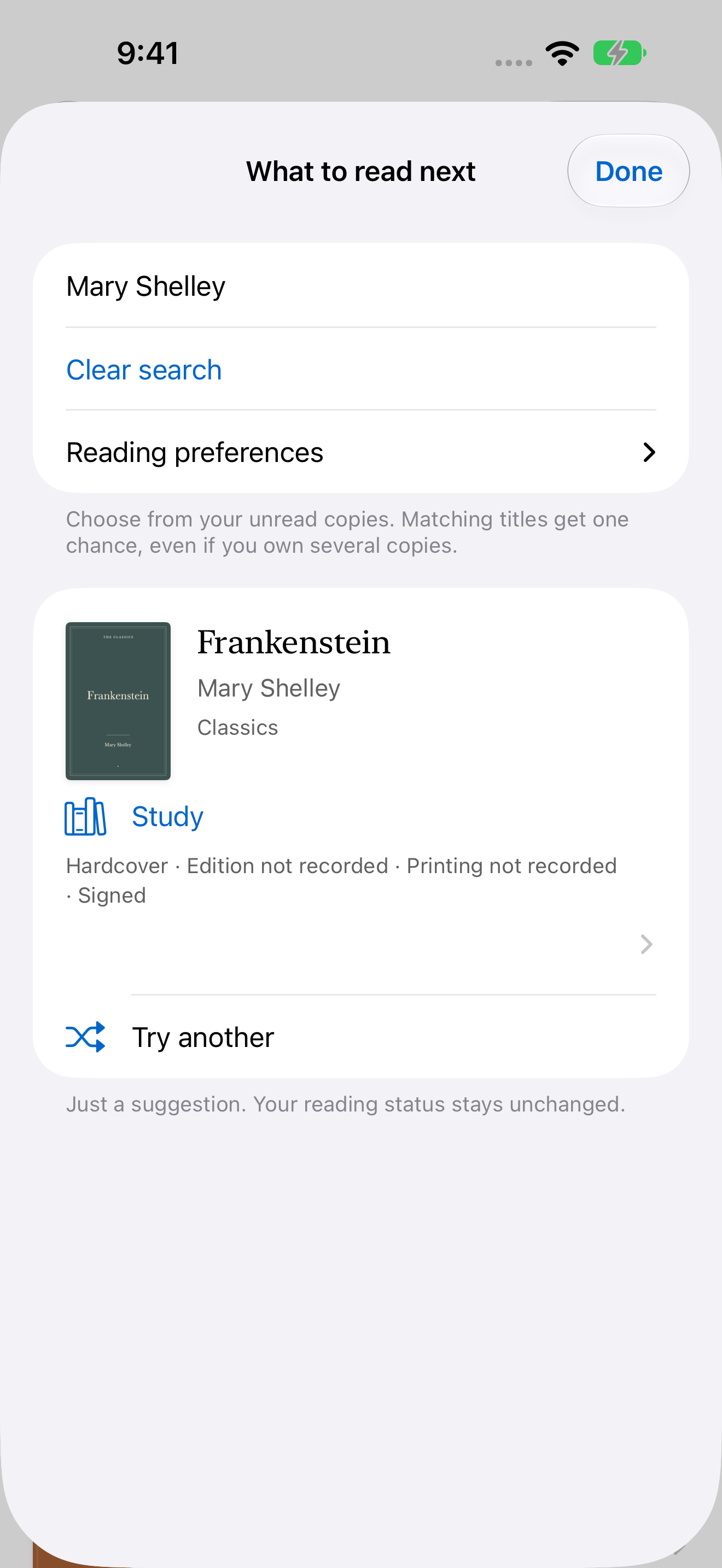
Explore featureBrowse your unread books, or let Bookshelf suggest one from your own collection. Save a rating and a few notes when you’re done.
Reading with Bookshelf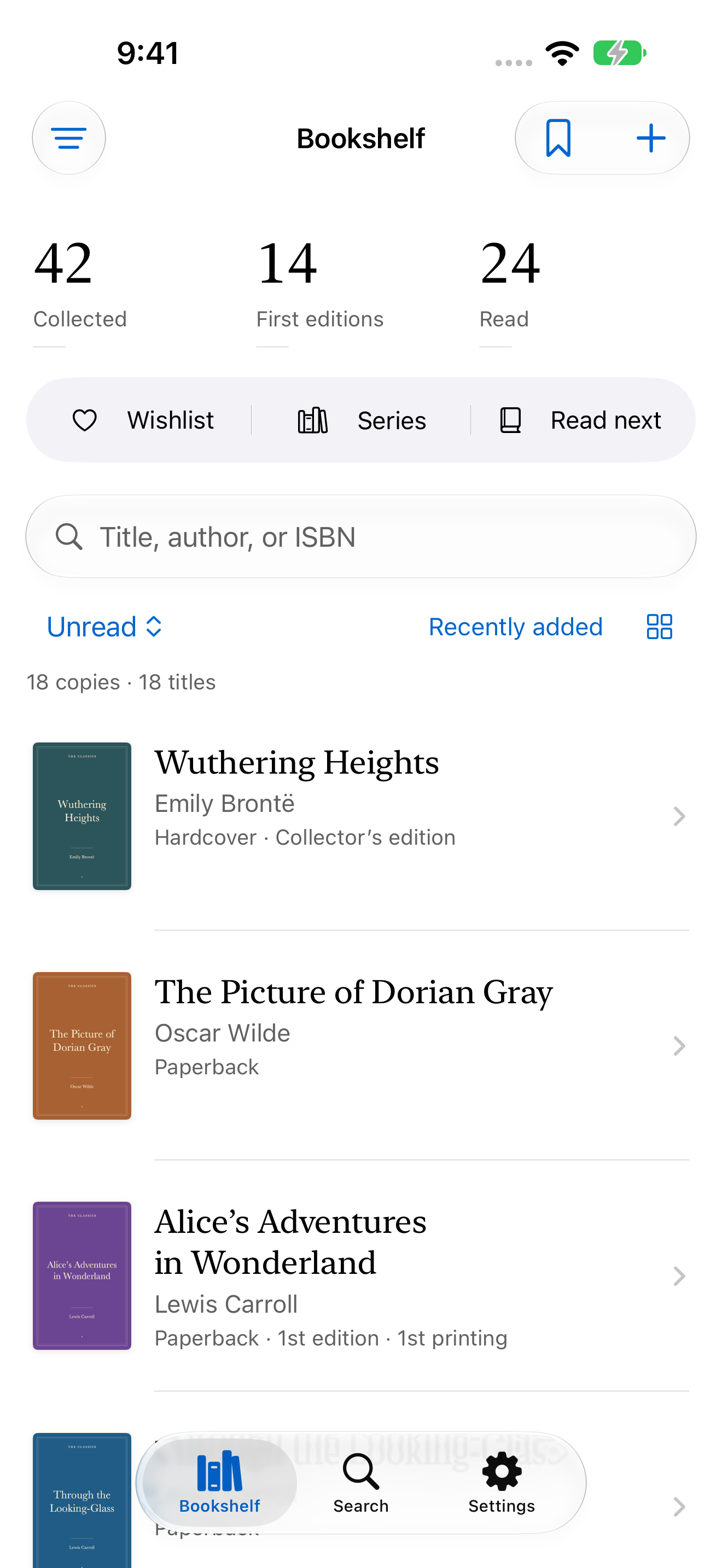
Available for iPhone and iPad. See the App Store for pricing and device compatibility.
Download on the App Store